Mobile App Redesign
Google Keep - Note Taking App
UX Research & UI Improvements
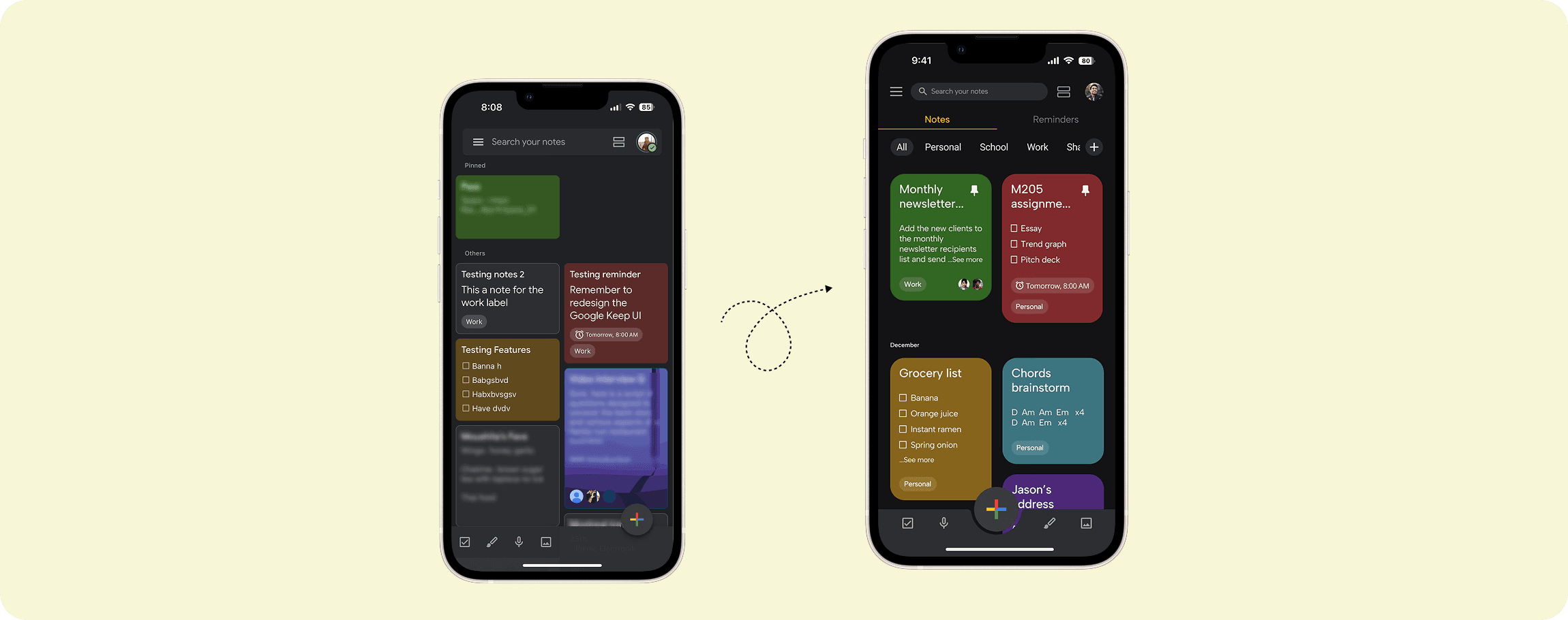
This project started on a winter evening. A friend and I were stuck outside in the snow while he tried to find his friend’s building number that he had saved in Google Keep. In the freezing cold, he kept scrolling through a sea of notes, and could not find the exact one fast enough. He mentioned it was ‘difficult’ and that made me wander what is so difficult about a note taking app.
Project duration
December 2024 (2 weeks)
Client
Personal Project
My role
UX Researcher & UI Designer
0-5 minutes reading time
Case Study Overview
Google Keep is great for quick capture, but once notes pile up, finding the right one fast becomes surprisingly hard. I interviewed 5 users, identified where organization breaks down, and redesigned the core experience around clearer hierarchy and one-tap categorization. In prototype testing, users rated the redesign 9/10 for satisfaction.
Research & Findings
Google Keep’s simplicity is what differentiates it, however, I wanted to understand frictions and pain points experienced by users, their notes organization processes, and where the current UI falls short.
Methodologies
5 user interviews (in person + Zoom).
Habit + task discussion (how people save, retrieve, and organize notes).
UI walkthrough of current labeling flow.
Key Insights
80% (4/5) mainly use Keep for text notes and checklists on mobile.
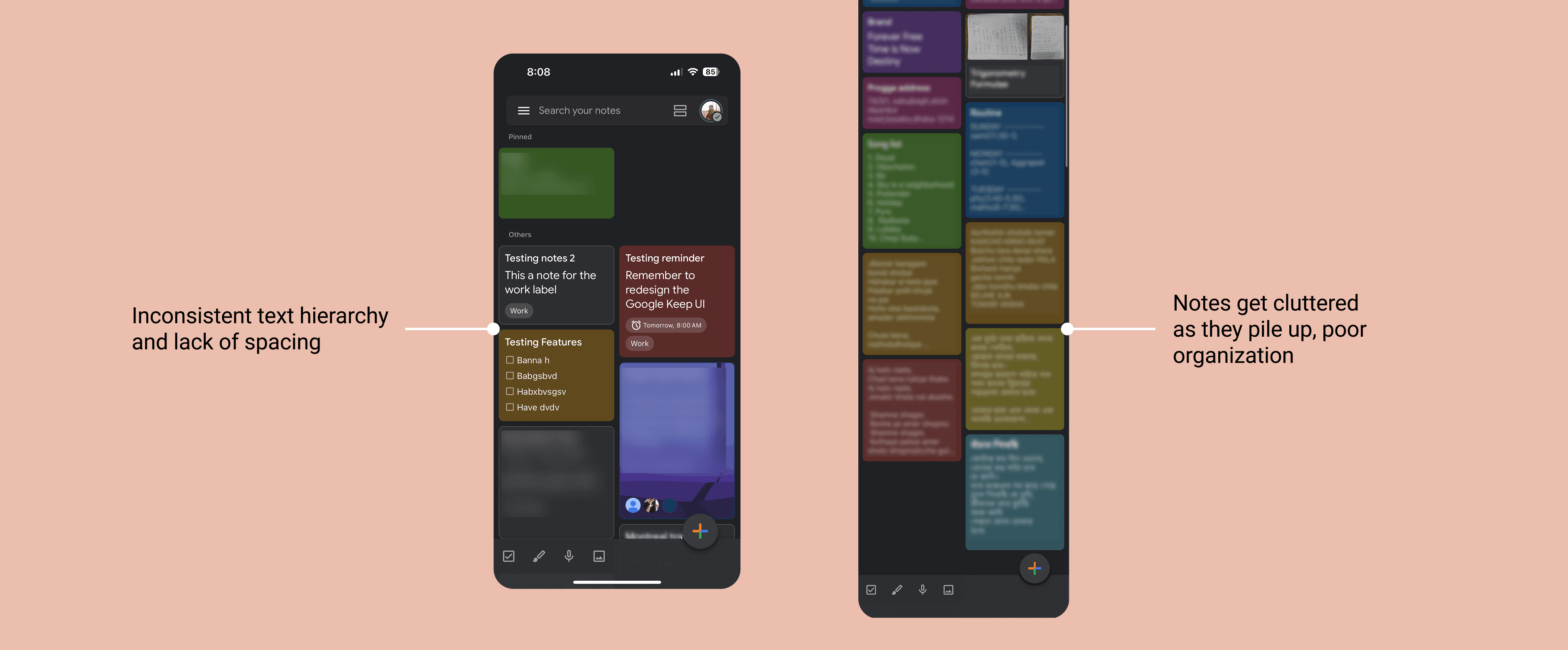
100% (5/5) said the dark mode home screen feels cluttered once notes pile up.
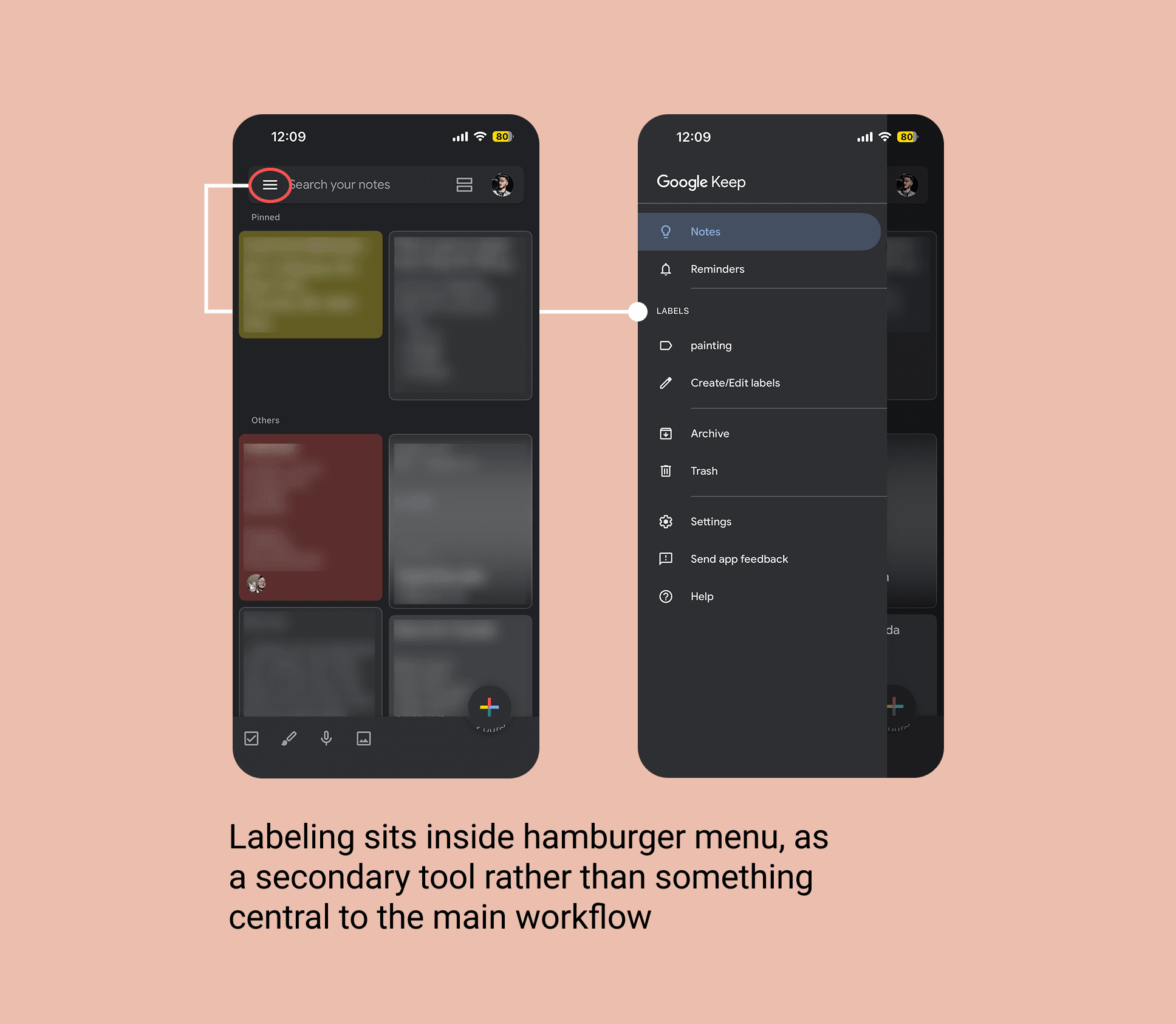
40% (2/5) did not know labels existed, and the rest used them rarely..
Participants almost never use search because they forget their quick notes' content.
What This Means
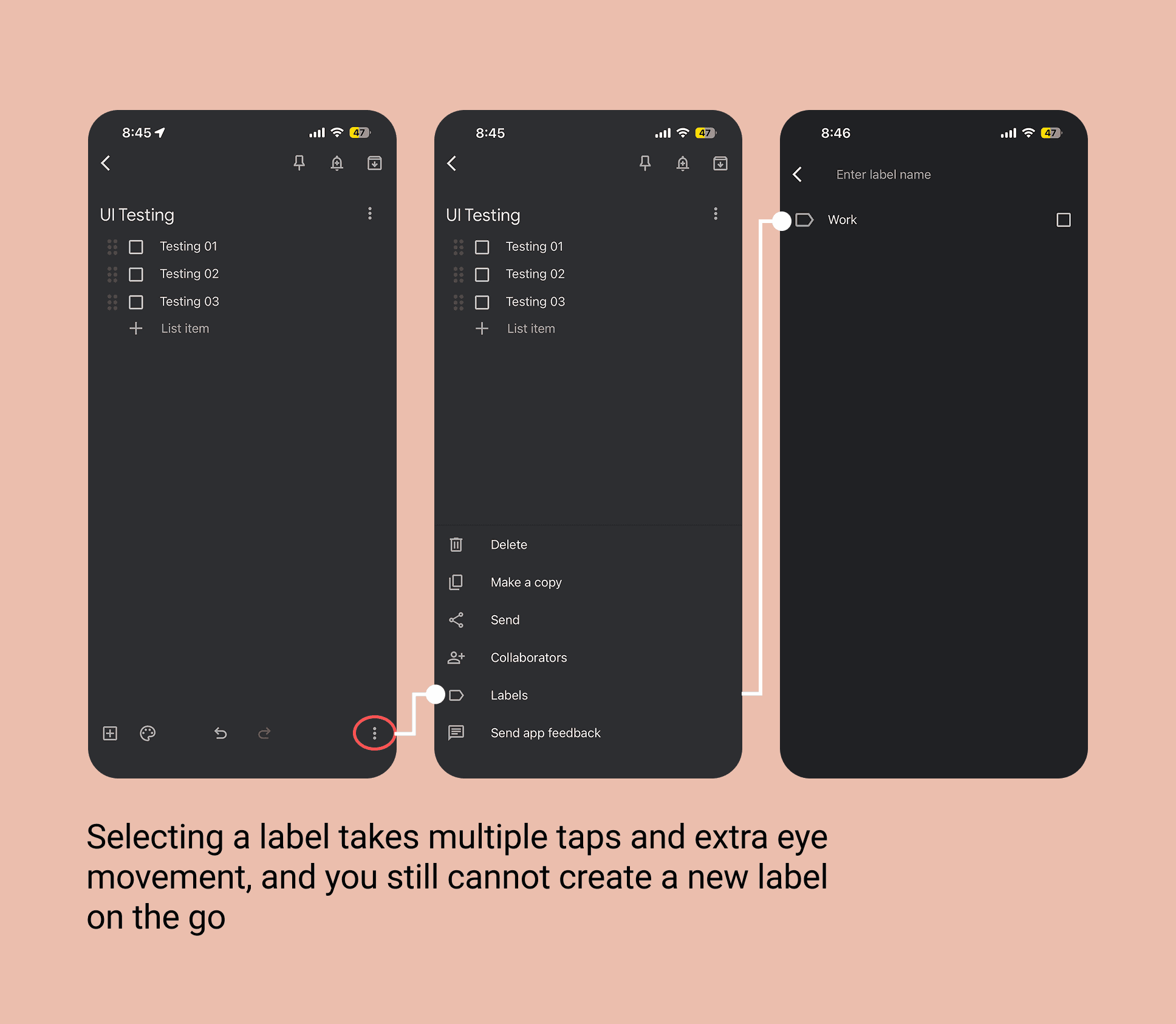
Notes often blend together due to weak contrast and hierarchy, which makes scanning slow as the list grows. On top of that, Google Keep has an organizing tool called ‘Label’ but the UI tucks it away and treats it as a secondary tool, easy to overlook.
User Persona
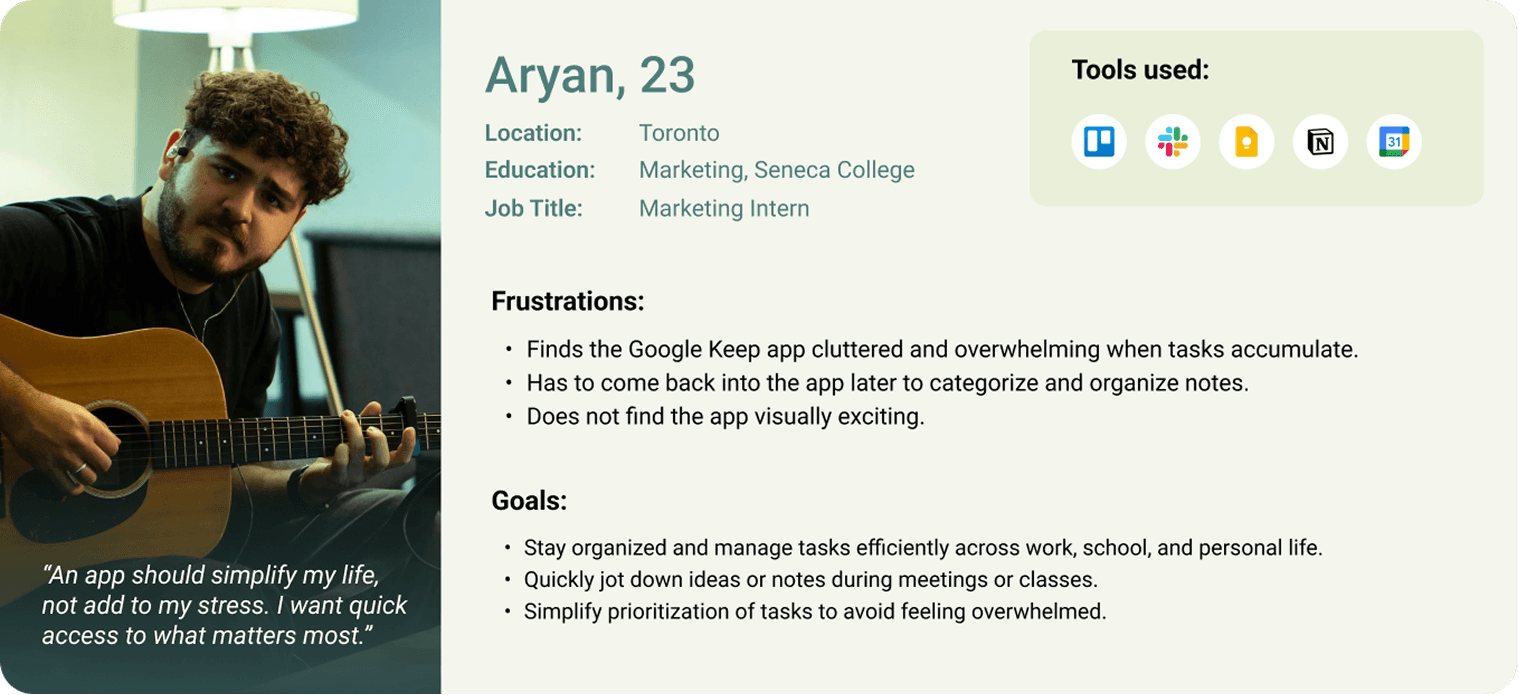
A busy student / early-career professional who captures lots of quick notes daily and needs to retrieve important info fast, but does not want organization to feel like extra work.
Project Goals
I avoided adding new features and focused on improving what already exists, because Google Keep’s biggest strength is simplicity. Based on research, I saw two clear opportunities:
Declutter the home screen so notes are easier to scan with clearer layout, better contrast, and stronger hierarchy.
Improve categorization by bringing labels into the core flow, making them effortless and habit-forming instead of a “later” task.
Design Process
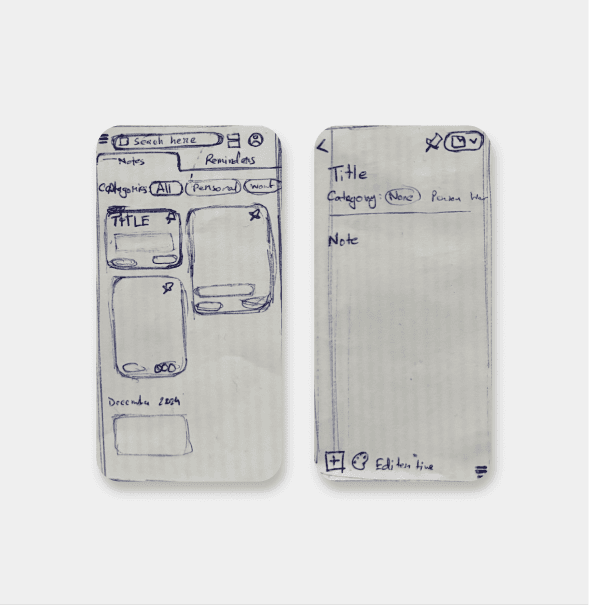
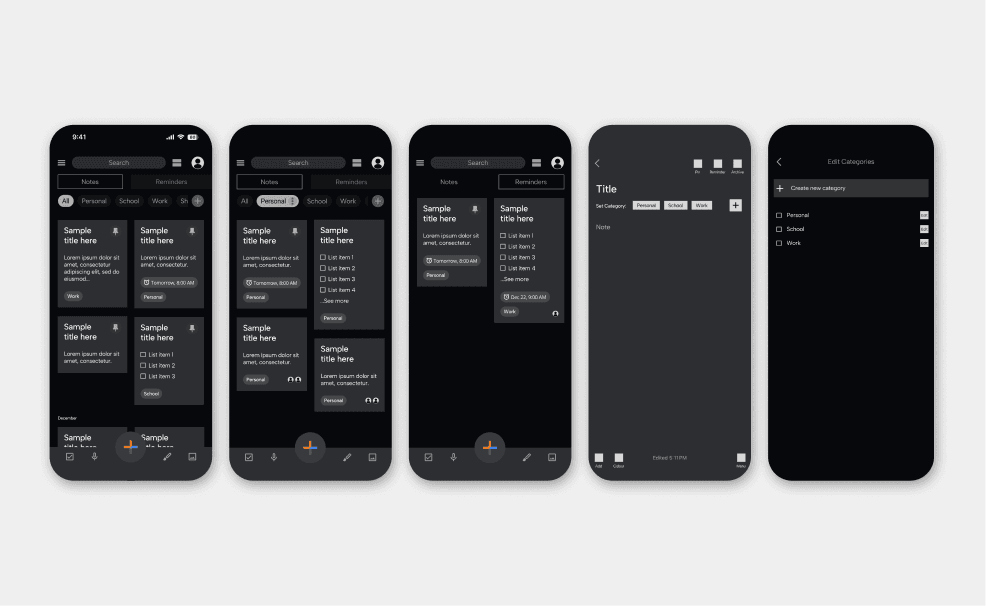
To explore solutions quickly, I started with paper sketches to ideate utilizing the labels feeature. Once the direction felt clear, I moved into mid-fi wireframes to map the labeling flow and make sure the navigation worked before moving into visual polish.
Fig: Guests Moments Gallery mockup
Final UI & Key Improvements
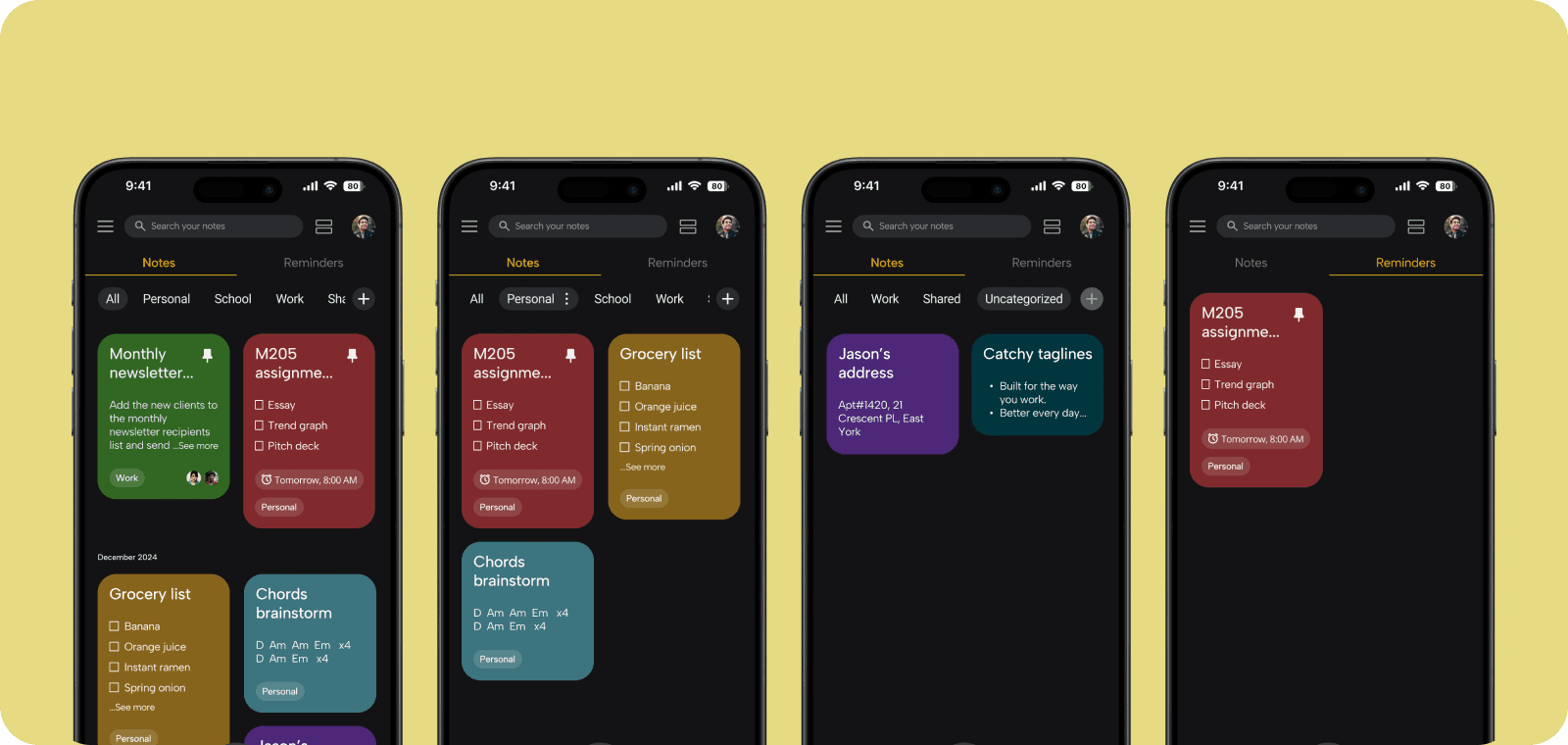
Visual declutter
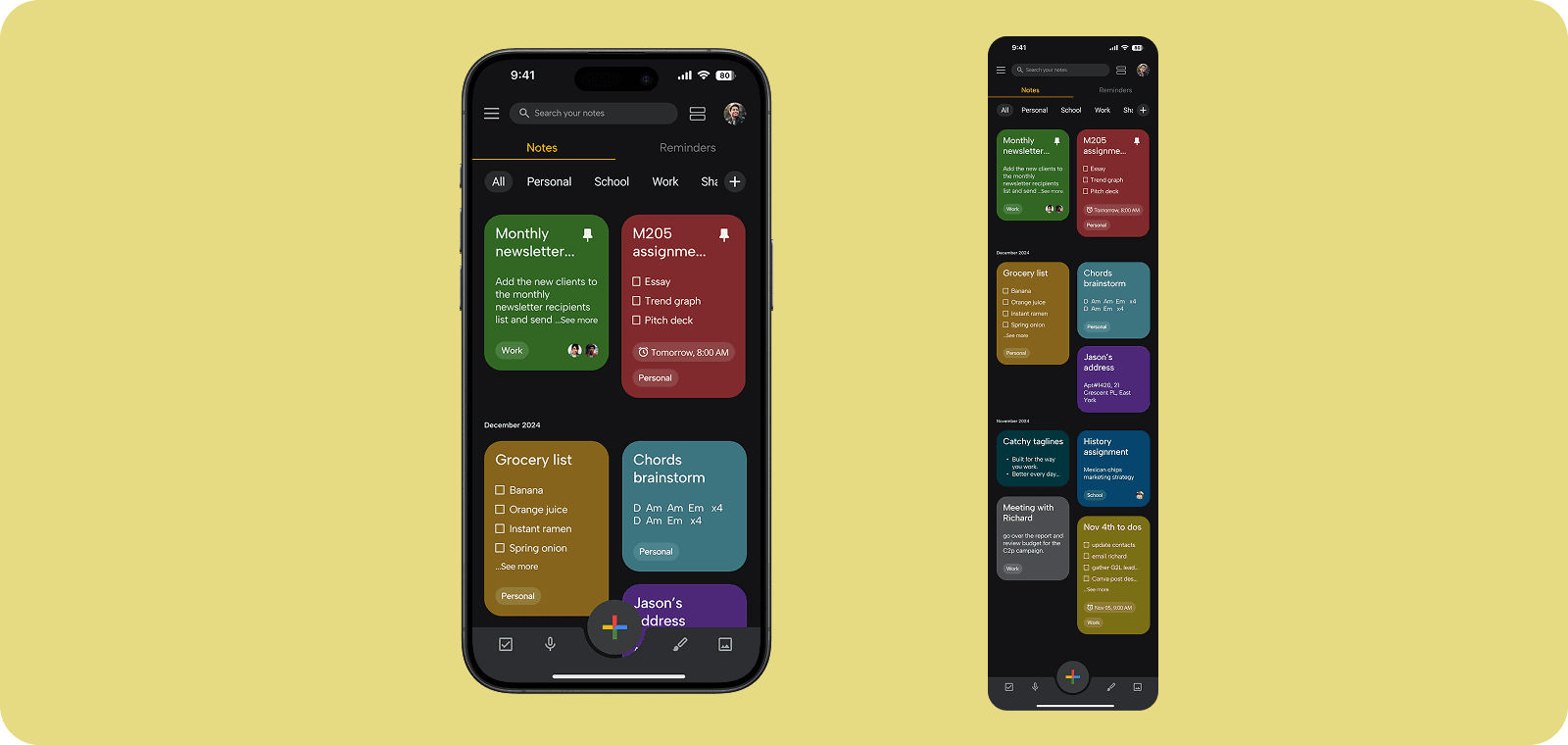
I cleaned up the home screen with more breathing room, consistent text hierarchy, and month-based grouping so notes are easier to scan as they pile up.
Labels are now easy to access
Labels used to be tucked away in a menu. Now they are visible on the home screen, where users can access, edit, and create them without digging.
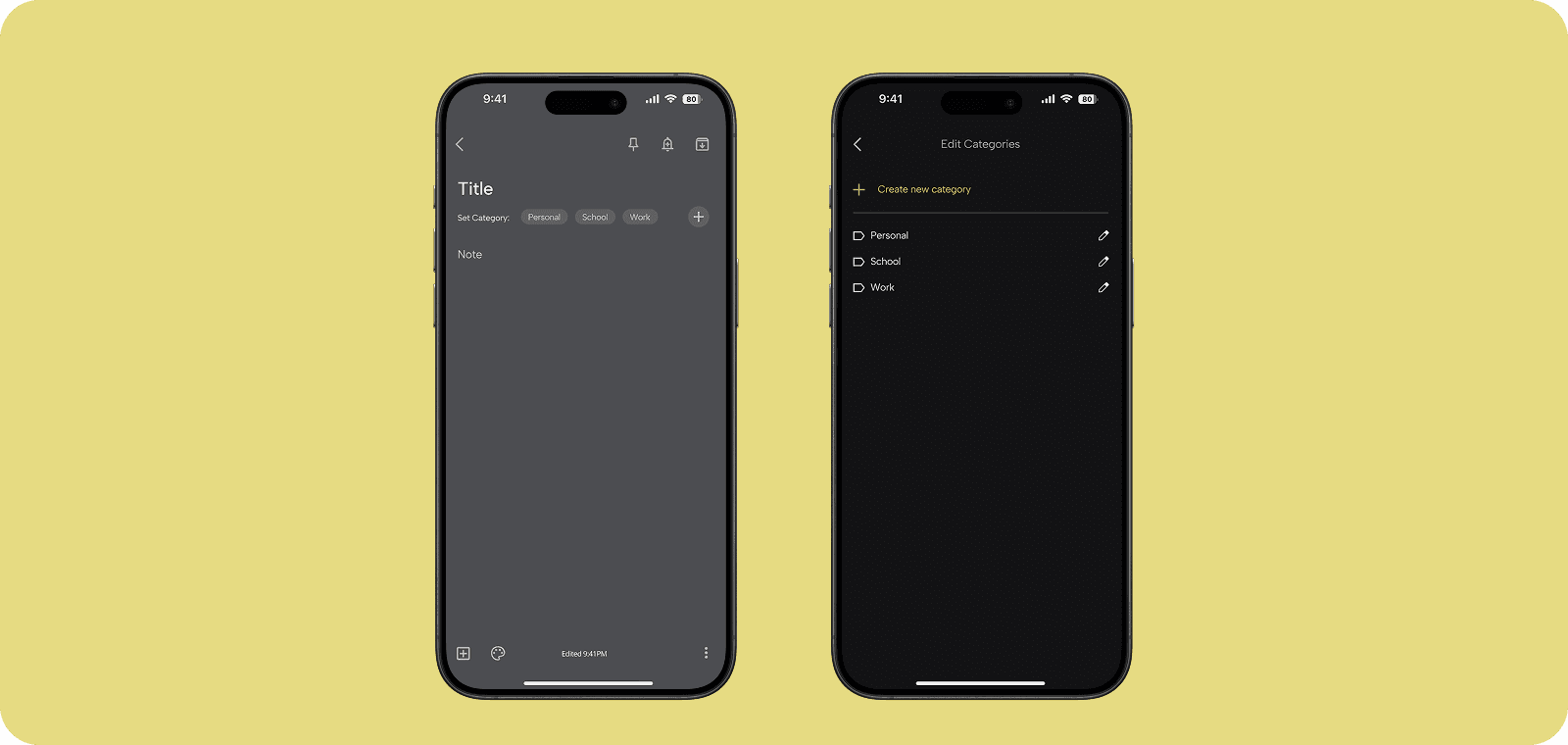
Label while writing
Labeling a note is now a one-tap action inside the editor (instead of Menu > Labels > Select Label). Users can also create a new label right from the writing screen.
Outcomes
To validate the redesign, I ran a quick usability test on the hi-fi prototype to see if people could find notes faster and use labels without friction.
Testing (method + tasks)
Moderated usability test with 5 participants (in person).
Participants completed 2 key tasks:
Find a specific saved note from a crowded notes list.
Create a new note and assign a label while writing, then locate it again using labels.
Results
9/10 average satisfaction rating after completing the tasks.
5/5 said the redesigned UI feels more organized.
4/5 said they would categorize notes more often going forward.
The redesign felt like a clear success. Participants could complete the key tasks with less friction, and the improved layout and in-the-moment labeling made the experience feel more organized.
What I Learned from This Project
This redesign reminded me that good UX is about about making the experience feel effortless. By focusing on clarity, habit-friendly moments, and reducing mental load, the improvements felt small on the surface but meaningful in real use. Here is what I learned:
The best UX wins can come from rethinking existing features, not always adding new ones.
Low cognitive load is intentional when you design around real user behaviour.
Core features feel intuitive when the UX supports habit forming use.