Website Design
Maestro - Tutoring Platform
UI Design & Visual System
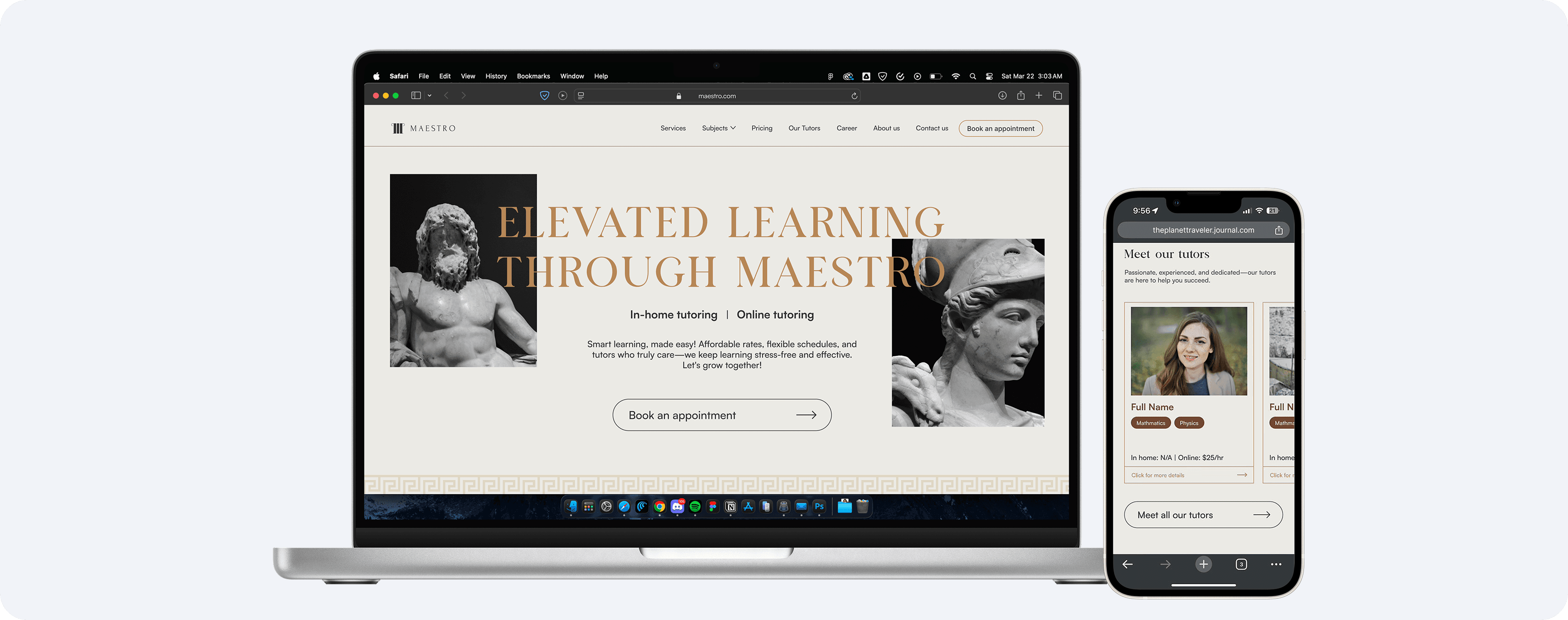
After finalizing the core features, the founders pitched an ambitious idea: an Ancient Greek inspired design that would make Maestro feel like a modern-day academy. My challenge was to translate that theme into a clean, approachable interface where the visuals reinforced Maestro’s dedication and built trust with parents and students.
Project Duration (Phase 2)
January 2025 - March 2025
Client
Maestro
My role
Solo UI Designer
0-5 minutes reading time
Case Study Overview
This case study (Phase 2) covers how I translated the founders Ancient Greek inspired vision into a visual direction, explored layout options, color palettes, typography, and imagery, and designed a responsive UI that works seamlessly across desktop and mobile.
UX findings from Phase 1 that shaped the design
Users wanted clear, bite-sized information instead of dense, text-heavy pages.
Transparency around pricing and tutor credibility was essential for building trust.
Competitor sites felt generic and sales-driven, parents wondered whether the service was a good fit.
How the UI design addressed these problems
I structured the website into clear information modules, improving the information architecture, content hierarchy, and overall scanability.
Transparency around pricing and tutor details were our key trust signals for parents and students.
I developed a unique Ancient Greek inspired identity for Maestro while maintaining clarity and usability.
Outcome shows promising results, as a small usability test revealed that users found the site intuitive to use and could easily extract information that they needed.
Site mapping
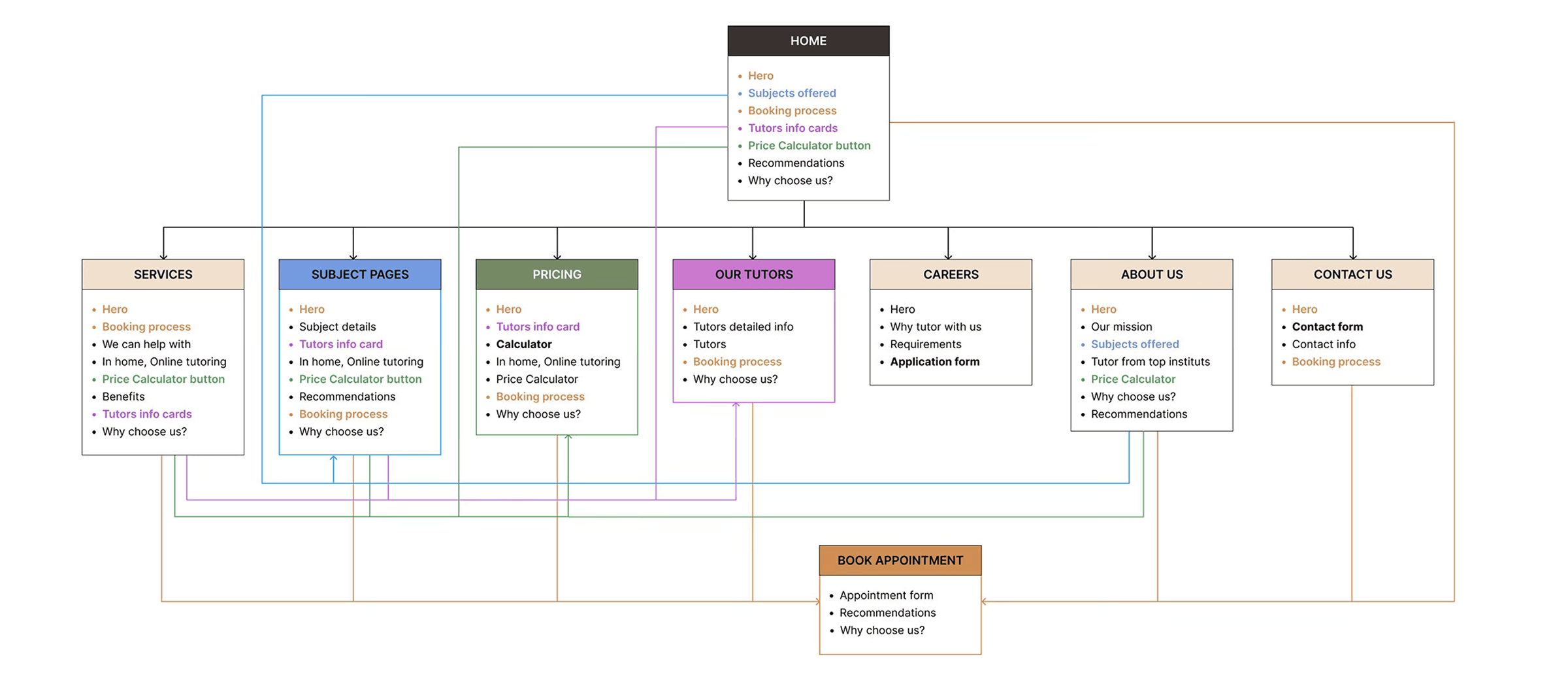
Fig: Site map
Visual Direction
Moodboards are the vital foundation of my design process. I prioritize them to ensure that the creative vision is both brand-aligned and technically feasible. By establishing a moodboard for our Ancient Greek theme early on, I was able to align the founders and developers to a unified visual direction to prevented any confusion later and ensured the design stayed true to the brand from the very start.
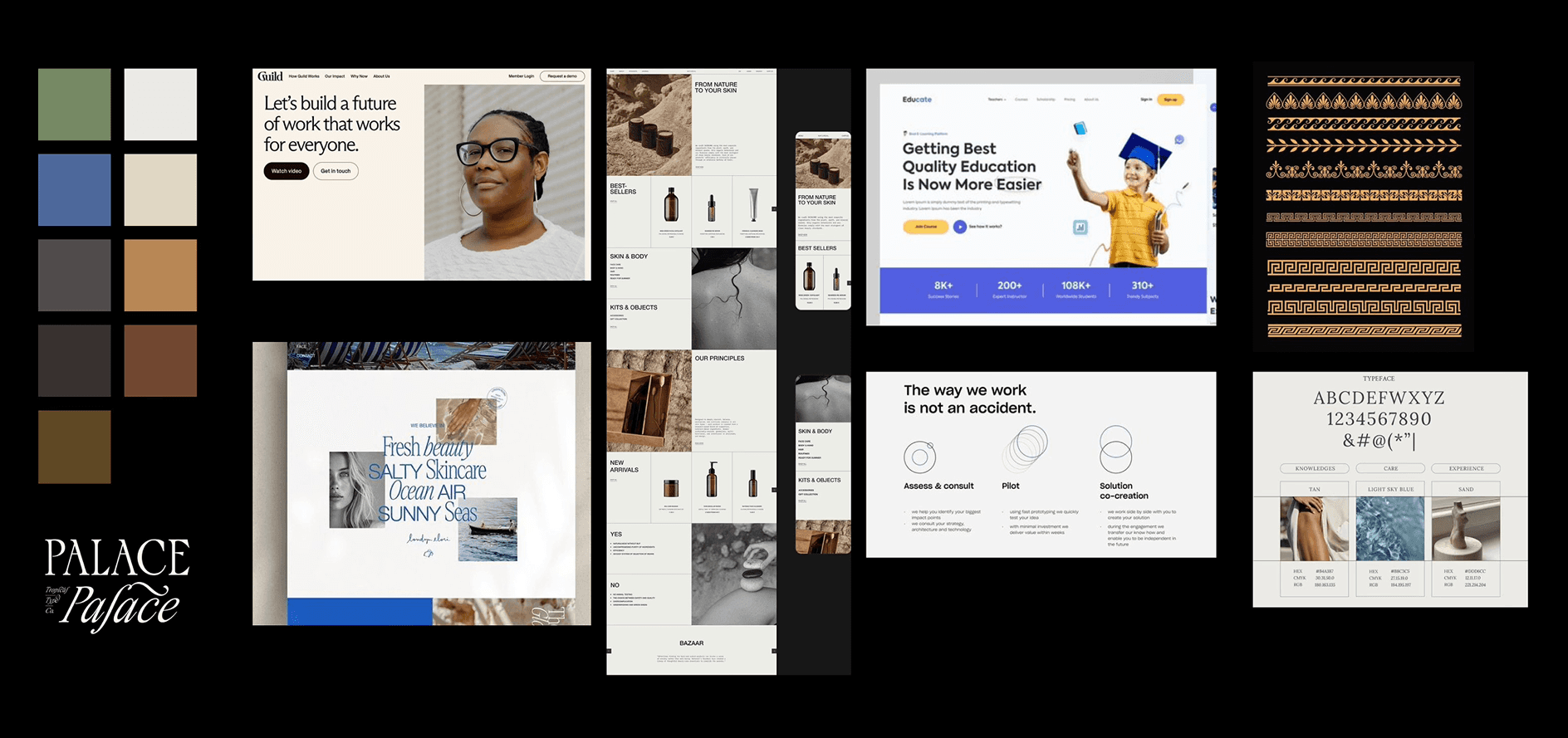
Fig: Moodboard
Wire Frames
I created low-fidelity wireframes first to explore different ways of structuring the homepage, subjects, pricing, and testimonials. Visualizing how the layout would translate to mobile was also one of our priorities from the beginning, so before diving deep into the visual design, these quick layouts helped me:
Define hierarchy.
Test content placement.
Align with the founders.
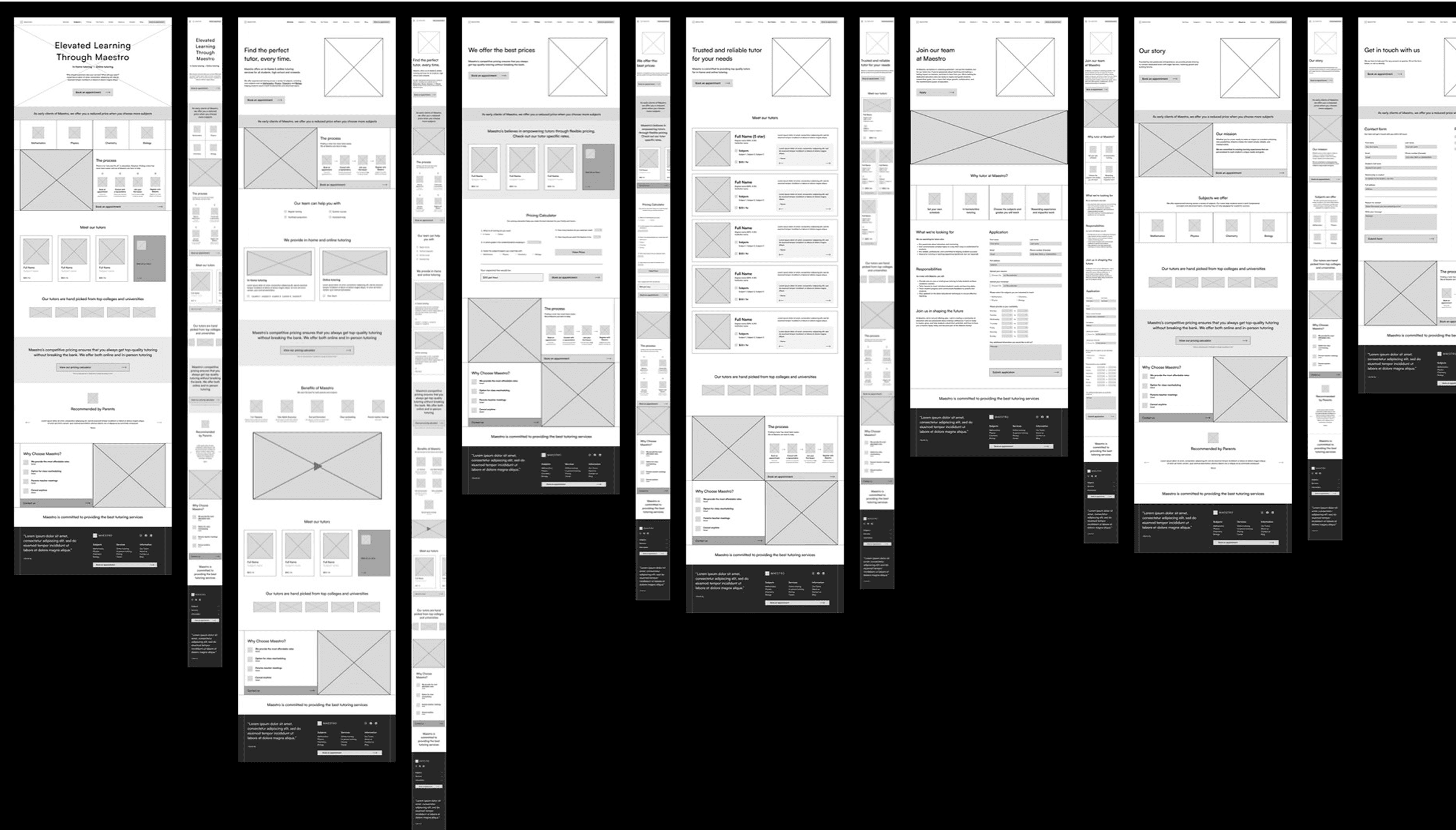
Fig: Lo-fi wire frames
Design Iterations
After reviewing the first high-fidelity version, we identified several areas that needed refinement to improve clarity, hierarchy, and usability. The foundation was strong, but the layout and visual balance required further polish.
What needed improvement:
The header needed more impact as a hero section.
The “Book an appointment” button was getting lost and needed to feel like a primary CTA.
The price calculator banner was not visually compelling and under-sold the feature.
The footer had more potential for structure.
Contrast and visual hierarchy needed rebalancing to guide key actions.
The Greek theme wasn’t integrated enough to feel intentional.
What we kept:
The overall visual direction.
Tutor profile cards as reusable components.
Parent testimonials as trust-building content.
The tutor booking flow.
The content hierarchy and page structure.
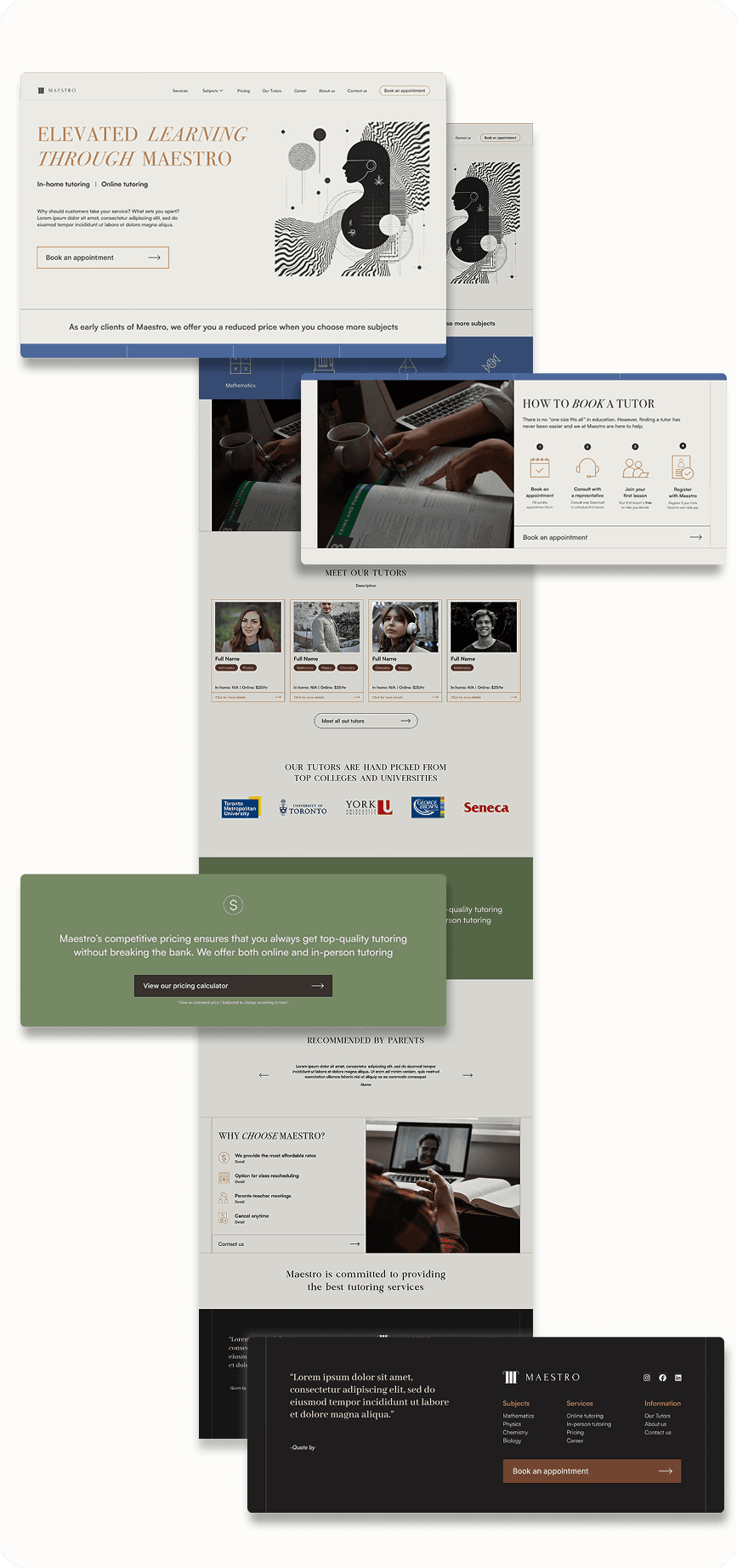
Fig: Initial design
How I improved the design
My goal was to make the site feel more expressive and intentional without diverting attention away from content. Information should be scalable and CTAs should be the focus.
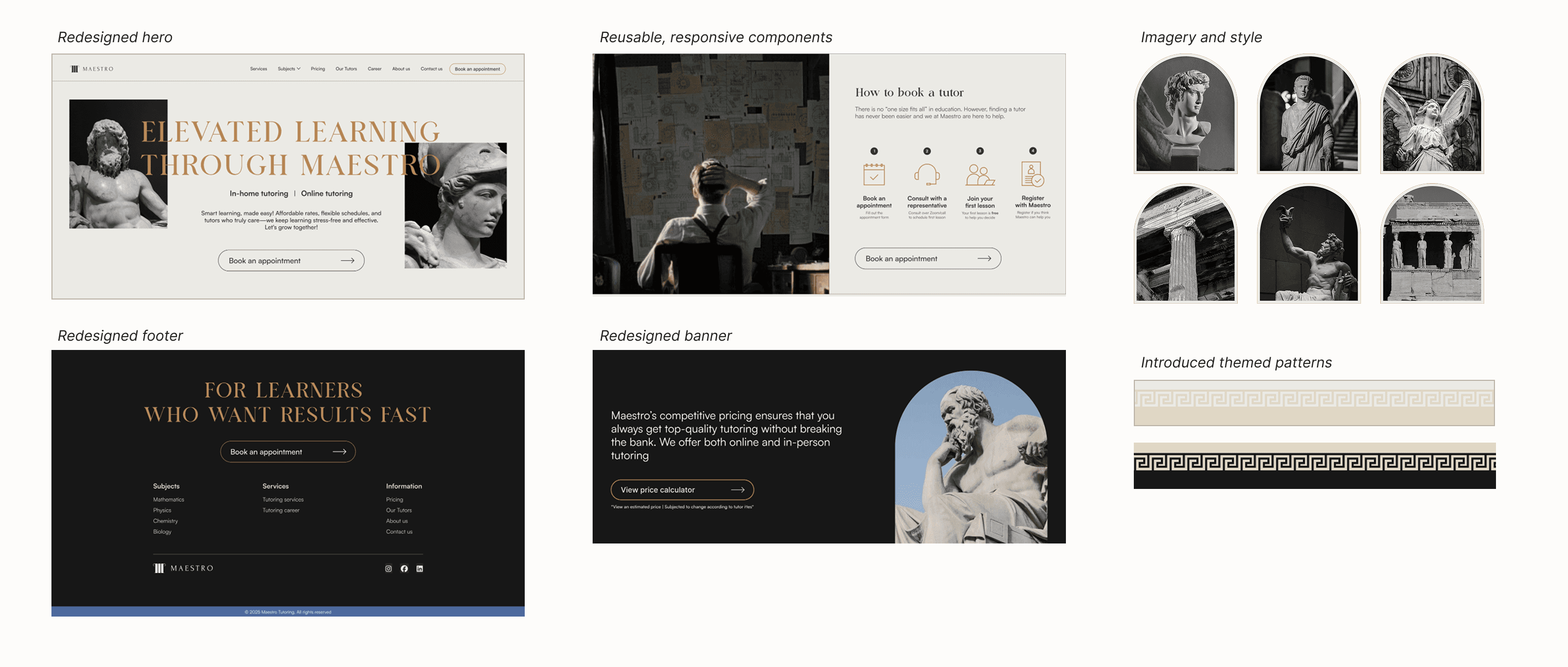
Final UI Design
The final UI brings together clearer hierarchy, more polished visual theme, and consistent component system. Key information like pricing, subjects, and testimonials is easier to scan, while the refined Ancient Greek theme adds personality without overwhelming the experience. The result is a clean, trustworthy interface that supports parents in making confident decisions.
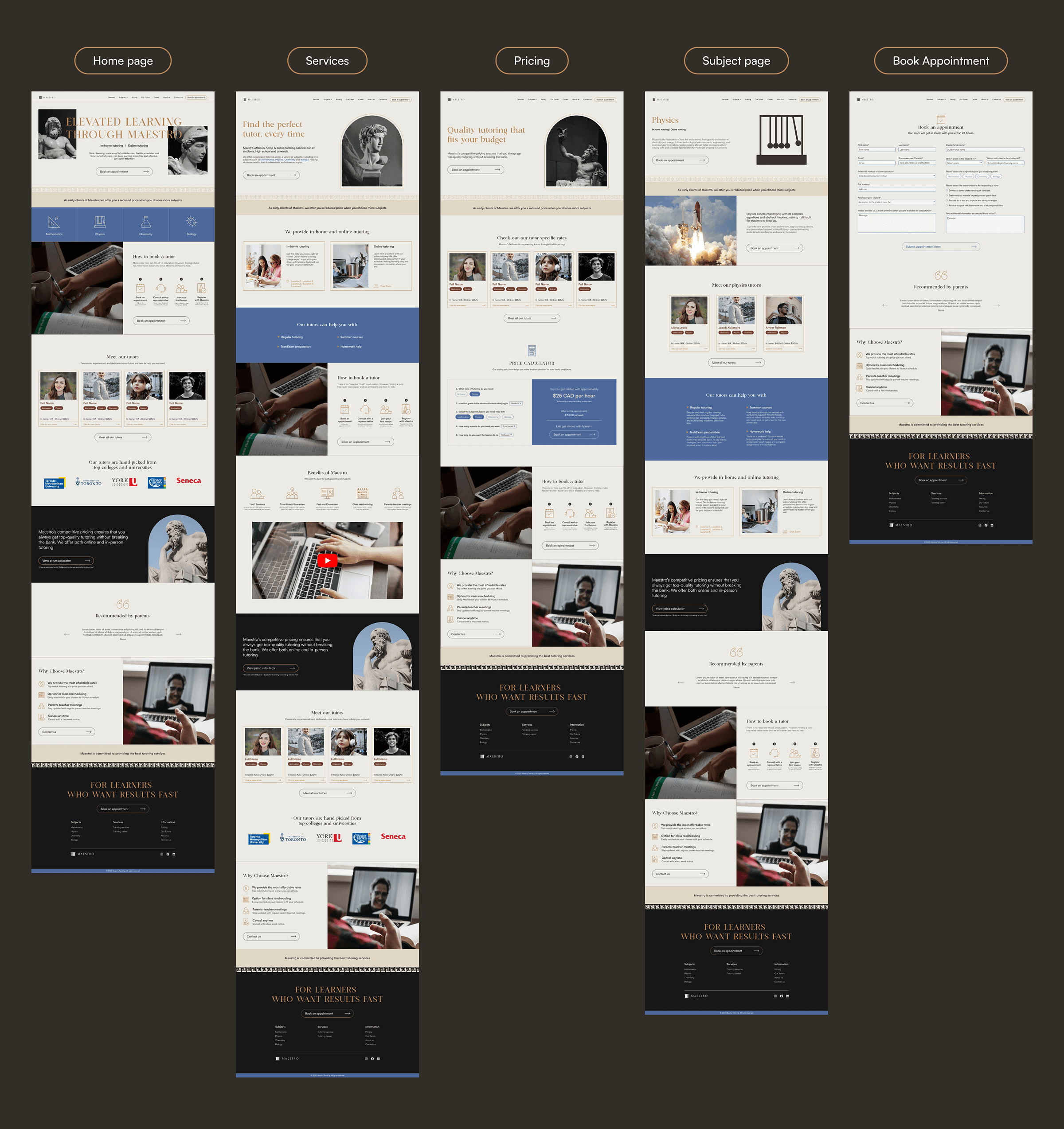
Style guide
I started building this small component library consisting of cards, buttons, form fields, etc. parallel to the design exploration to support design system thinking and smoother developer handoff.
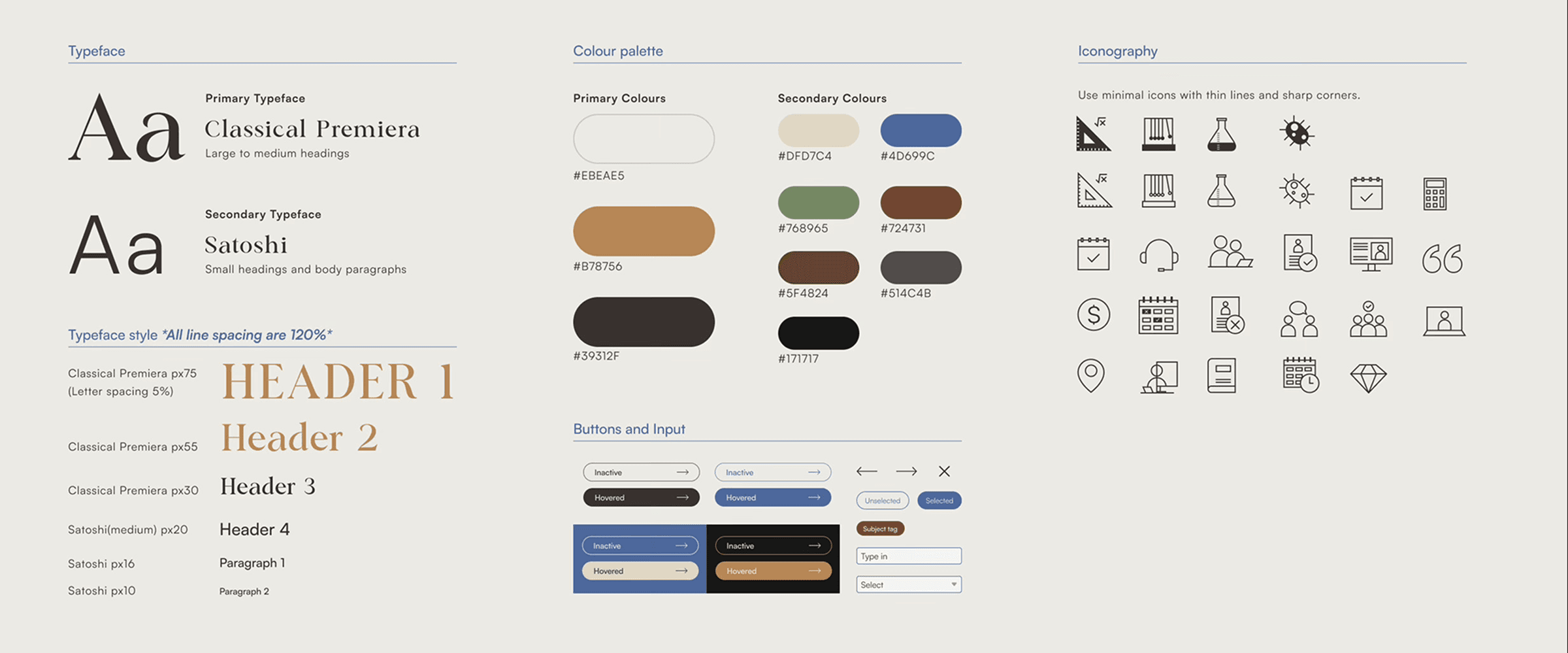
Fig: Style guide
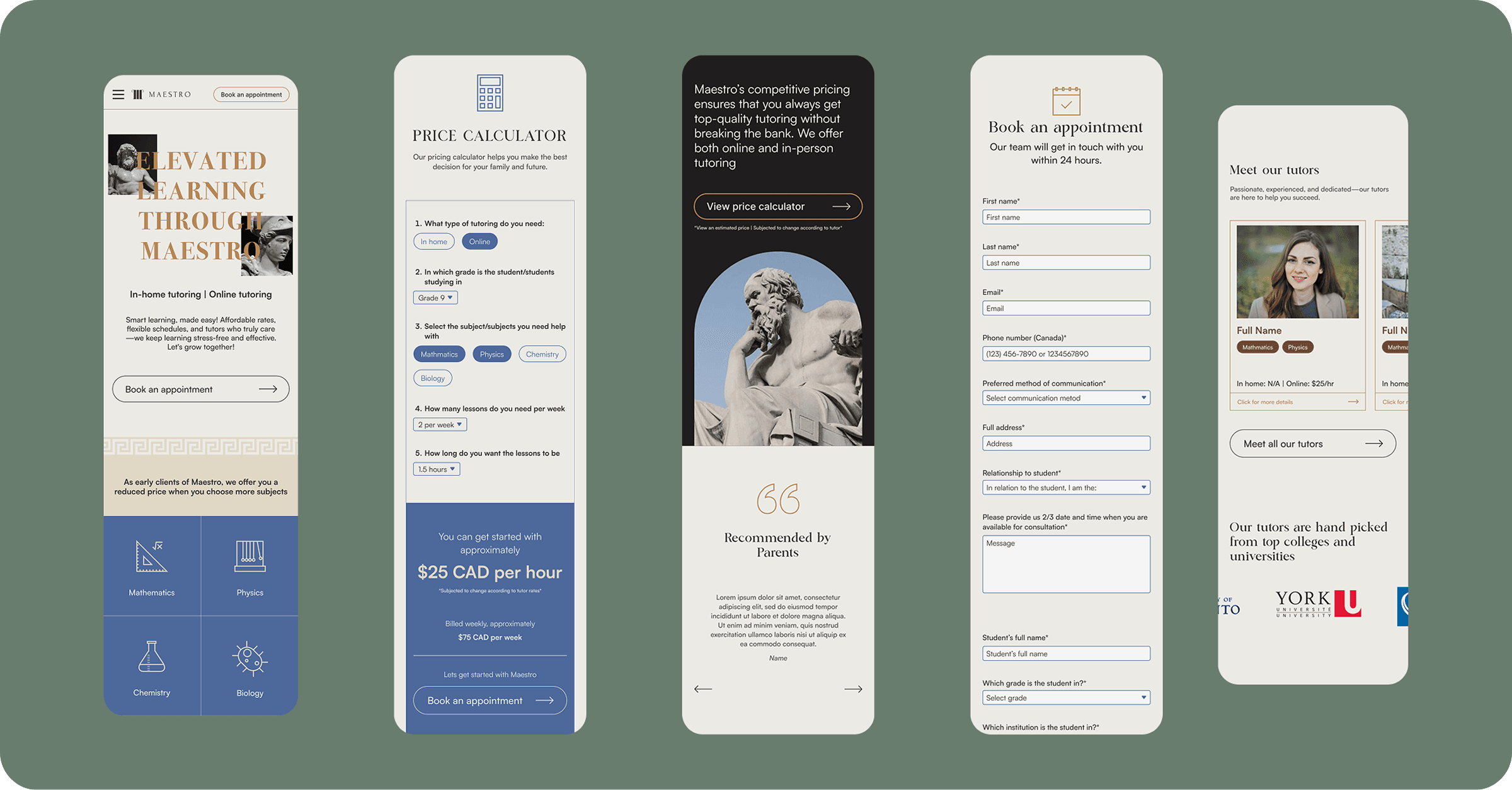
Translating UI for Mobile
The desktop layouts were carefully reflowed into a mobile-friendly experience so that parents and students can browse and take action comfortably on smaller screens.
Introduced horizontal carousels for select content (like tutor cards) to keep screens compact while still showcasing variety.
Generous spacing and larger tap targets that support quick, thumb-friendly interactions
Forms adapted for mobile with clear labels, stacked fields, and minimal input friction
Outcomes
In a small usability round with 3 participants using the high-fidelity desktop and mobile prototype, we saw clear improvements in clarity and trust:
Testing
Tasks: Find what type of tutoring services Maestro offers for Math, estimate the cost of Math tutoring, and find information on the process of booking a tutor.
Post-session interview: How clear and accessible was the information you needed, and did Maestro feel credible and trustworthy?
Results
Task success: All 5 participants found Math services, estimated cost, and understood the booking flow without assistance.
Decision confidence: 4/5 said they would feel comfortable booking a consultation based on the information shown.
Information findability: Participants spent less time jumping between pages to understand how Maestro works and where to start.
Perceived clarity and trust: The UI was described as “clear,” “organized,” and “professional,” with tutor profiles, pricing, and testimonials called out as key trust builders.
Accessibility and implementation
We also conducted basic accessibility checks:
Key pages passed WCAG AA contrast checks after minor color adjustments.
Mobile tap targets were large enough for comfortable thumb use.
What I Learned from This Project
Throughout this phase, I deepened my understanding of how visual design choices directly shape clarity, trust, and usability. Some key lessons were:
Visual themes are important for differentiation but should not shadow content clarity.
Take time with design, iterate, test, refine and repeat, do not be fixated on “good-looking” first version.
Well-structured research and synthesis, even if small, can reveal big opportunities.
Good foundational research makes later UI decisions faster, intentional and more aligned.